HOW IT WORKS

Your whole matchday.
Step by step.

From kick-off to a finished highlight reel in your team chat: this is how MatchReel turns your amateur match into a broadcast-quality video — no editing software required.

1 · Film 2 · Tag goals 3 · Import & sync 4 · Fine-tune 5 · Export & share 6 · Your season FAQ
1
BEFORE KICK-OFF

Film your match — whatever works for you.

MatchReel only needs an ordinary match recording from your photo library. Tripod behind the goal, phone on the fence, a parent on the sideline — anything works. You can even use several cameras; MatchReel automatically maps every recording to the right match time.

Elevated & steady

A tripod or an elevated spot (railing, clubhouse) — the steadier the footage, the better the overlays look.

Landscape, full pitch

Film in landscape and keep as much of the pitch in frame as possible. You choose the crop per clip later.

Battery & storage

90 minutes of video needs space and power — plug in a power bank, check storage, hit record, forget about it.

Multiple cameras?

Sure. Second phone behind the other goal? Import both recordings — in the editor you pick the best angle per scene.

2
DURING THE MATCH

One tap per goal. That's it.

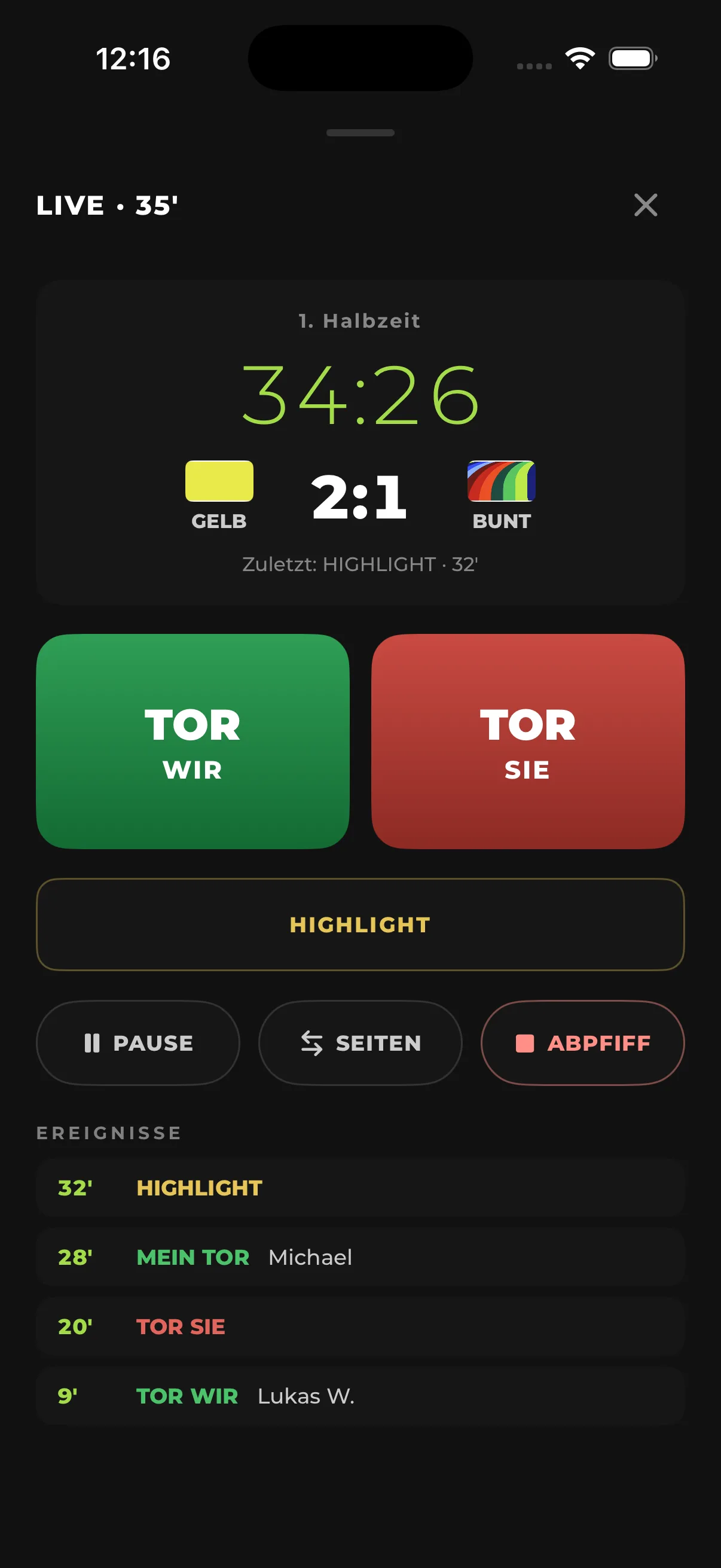
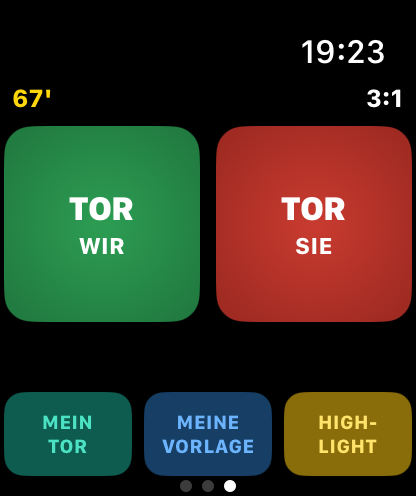
When a goal goes in, you tap it — MatchReel remembers the rest. On Apple Watch it runs as a workout: the screen stays on for the whole match, you pick the scorer straight from your squad, and the watch records heart rate and distance on the side. Half-time, side switch, full-time — one tap each. And you always have the full picture: match minute, score and every tagged event live on screen.

Our goal / their goal, my goal, my assist, highlight
Pick the scorer straight from your squad
Score, match minute & event list always in view
Heart rate, distance, sprints & top speed as a bonus
No Apple Watch? No problem. The same capture lives in the iPhone app: you (injured on the sideline) or someone watching taps the goals on the phone — while another device films.
Tagging goals on Apple Watch
Live capture on iPhone: timer, score and event list
3
AFTER THE FINAL WHISTLE

Import in a minute. Sync happens by itself.

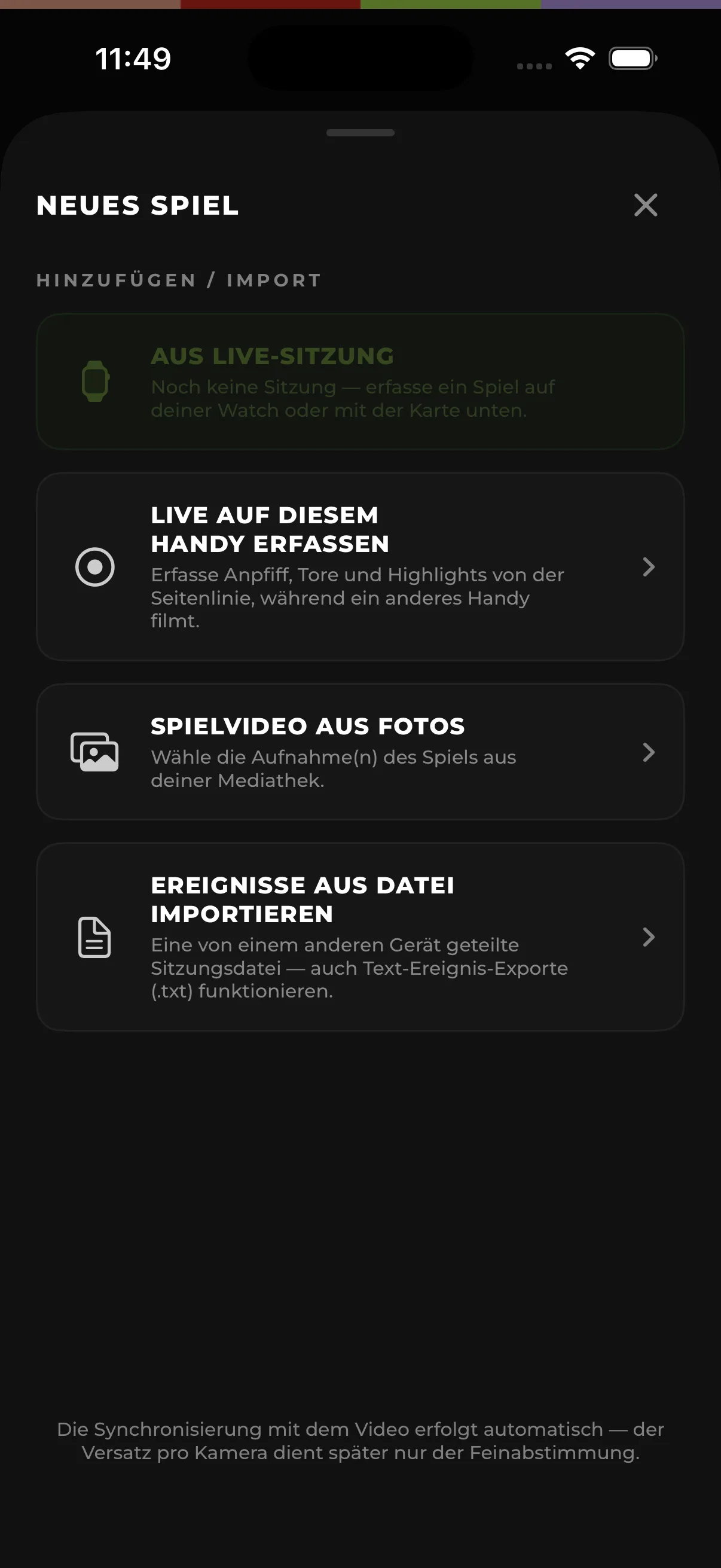
At home you create a new match and pick the recording from your photo library. The session from your watch is already waiting in the app. MatchReel lines up both timelines automatically — every tagged goal lands in the video to the second, without you ever comparing timestamps.

Your video stays in Photos — nothing gets duplicated
Partial recordings are matched correctly too
Fine-tune per camera if you want it even tighter
Import assistant: creating a new match
4
FINE-TUNING

Every clip, exactly to your taste.

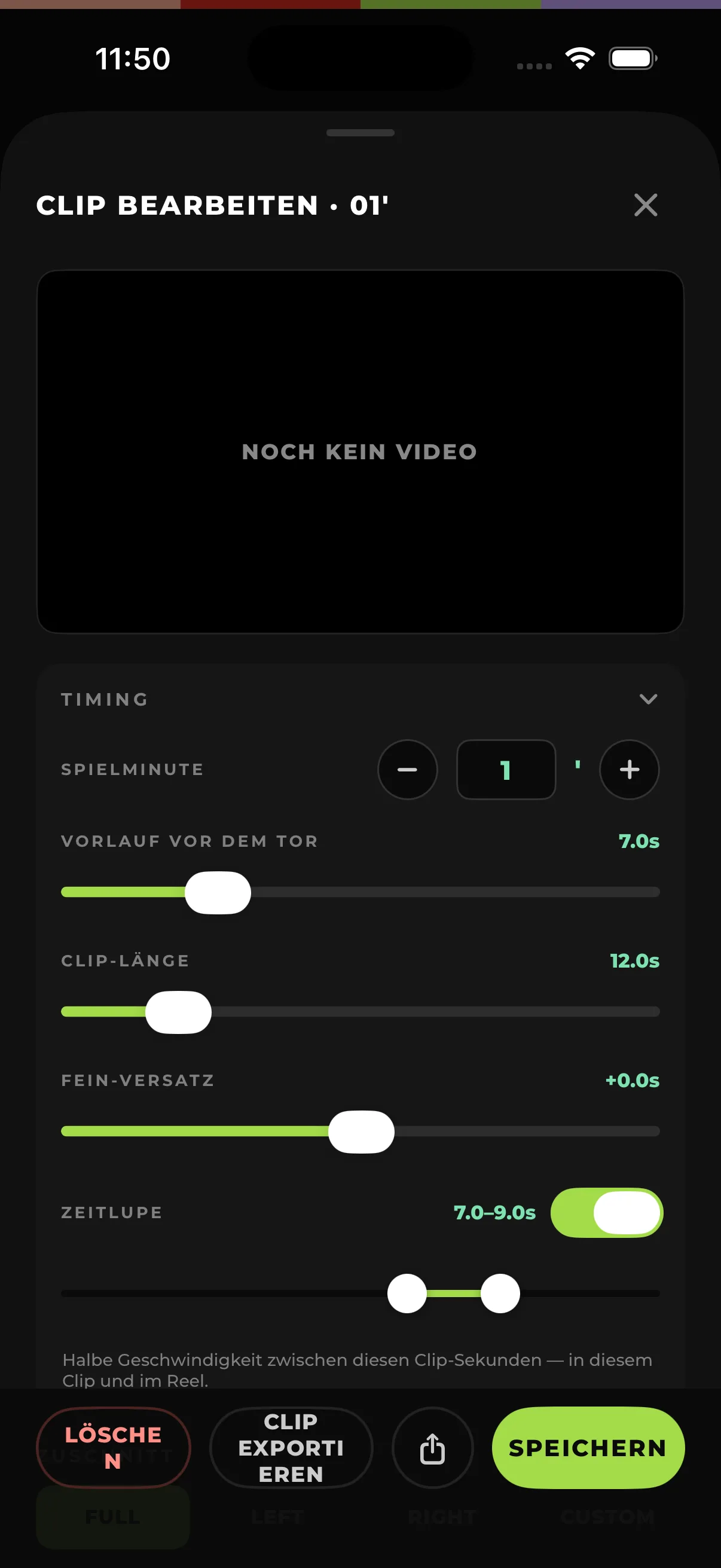
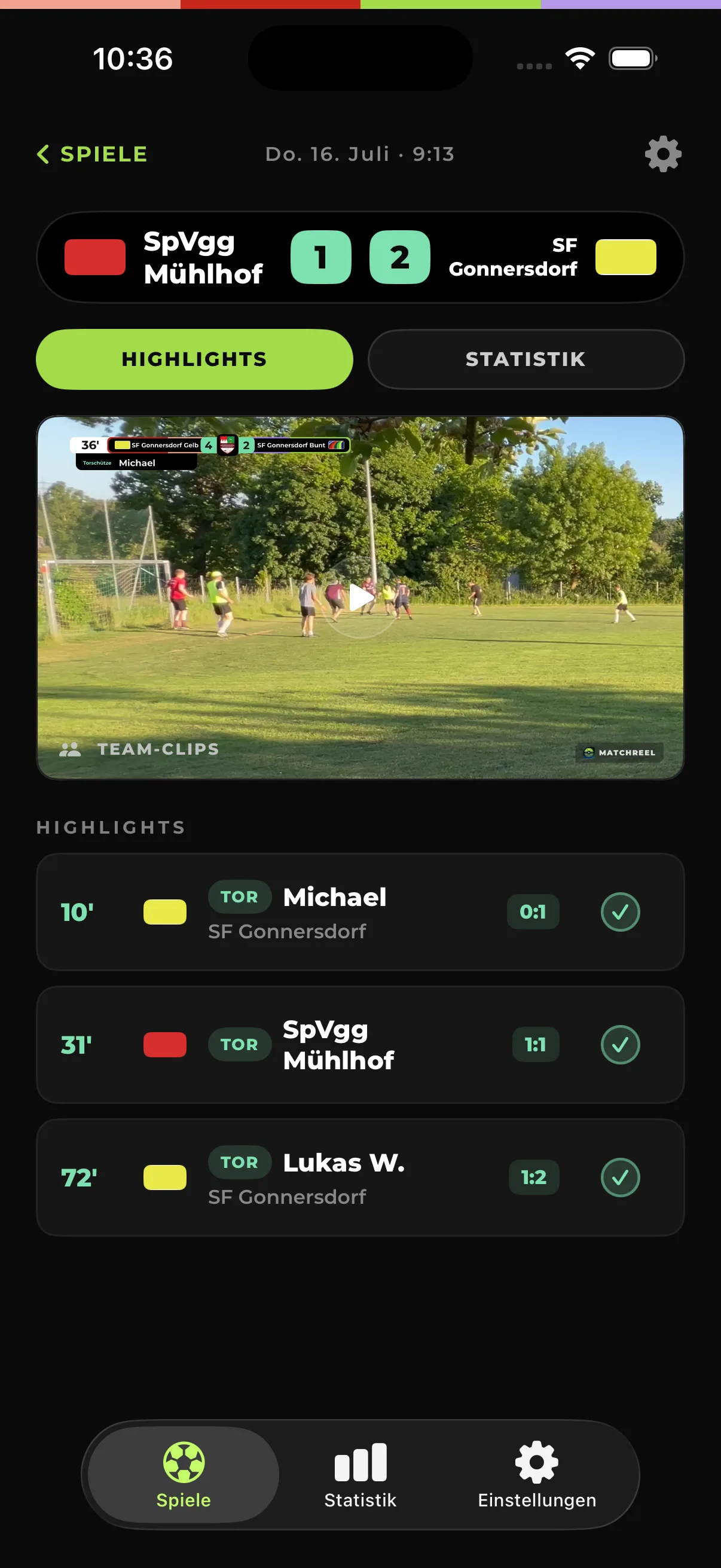
Your clips are already cut after import — refine them if you like: lead-in and length per scene, crop (full pitch, half pitch or custom), a slow-motion window right where the ball hits the net. And the event type drives the on-screen caption: scorer, own goal or highlight.

Timing via sliders — the preview shows the result instantly
Slow motion placed freely, e.g. seconds 7–9 of the clip
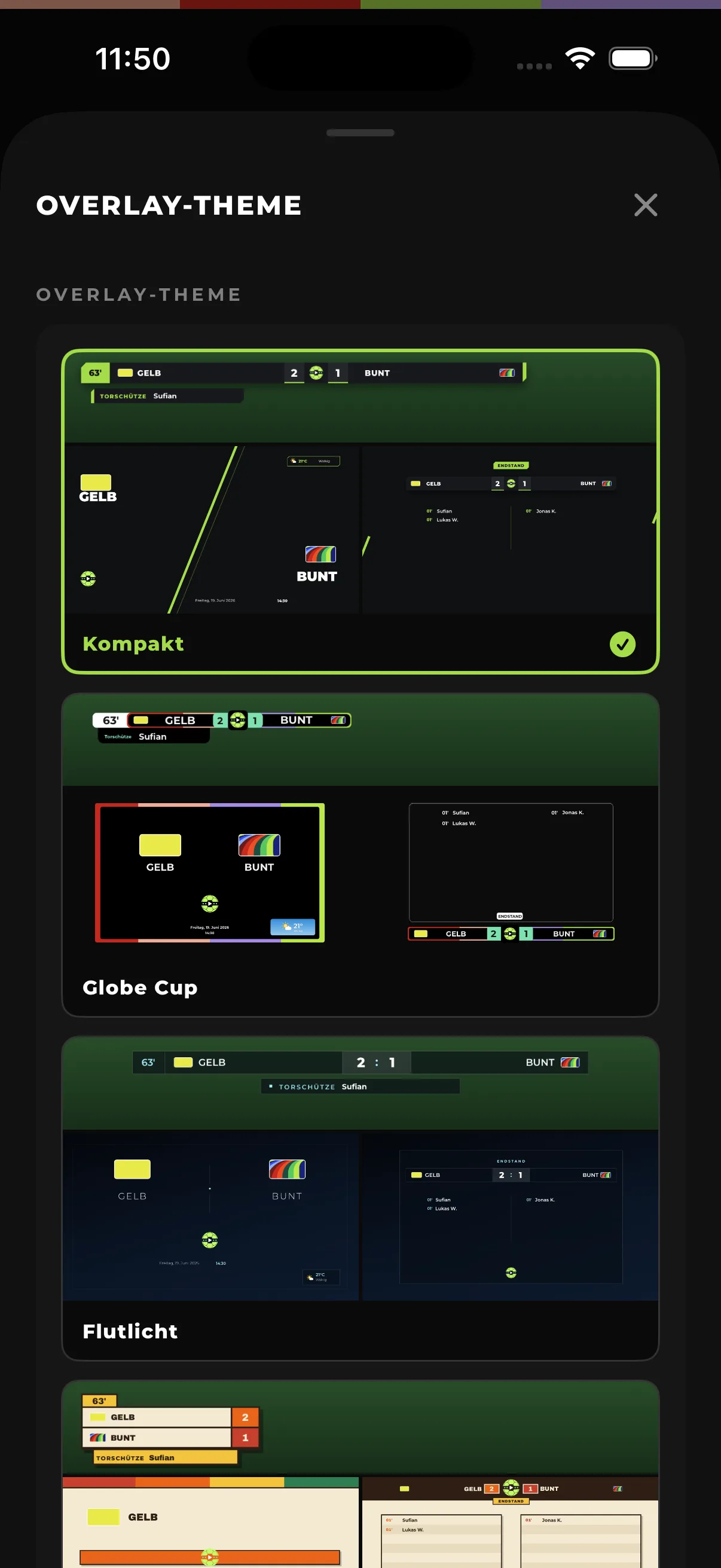
7 overlay designs — from TV look to retro, selectable per match
Clip editor with timing and slow motion
Overlay designs with preview
5
EXPORT & SHARE

One tap. The broadcast is ready.

The reel export puts it all together: an intro with teams, date and weather, every scene with a live score bar and scorer caption, and the final score with the goal list at the end. In 1080p or 4K, straight to your Photos — and from there into the team chat. Single scenes export on their own too, optionally in 9:16 portrait for Instagram and TikTok.

Complete reel with intro, live score and full-time card
Single clips & 9:16 export for social media
Progress runs along in the Dynamic Island
6
AFTER THE SEASON

Your season, in numbers.

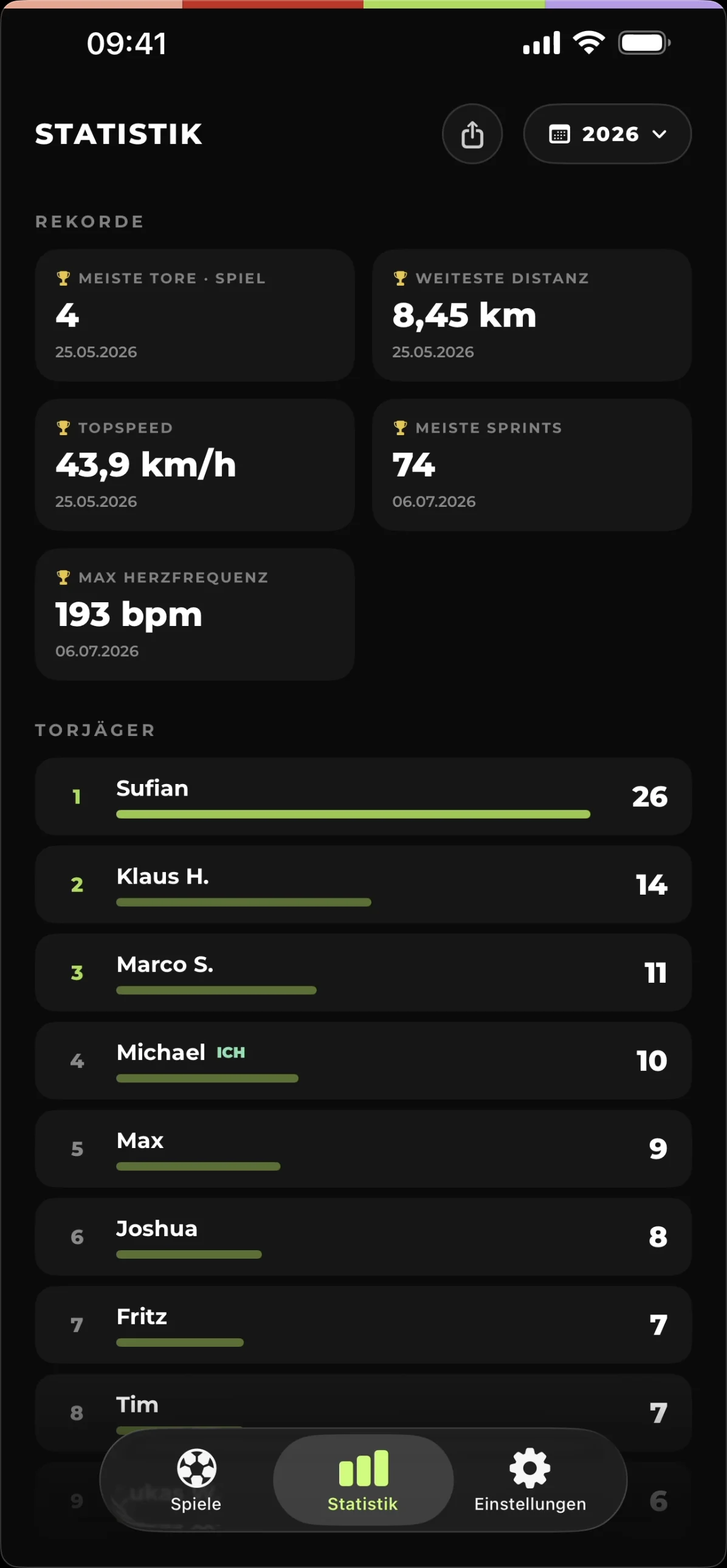
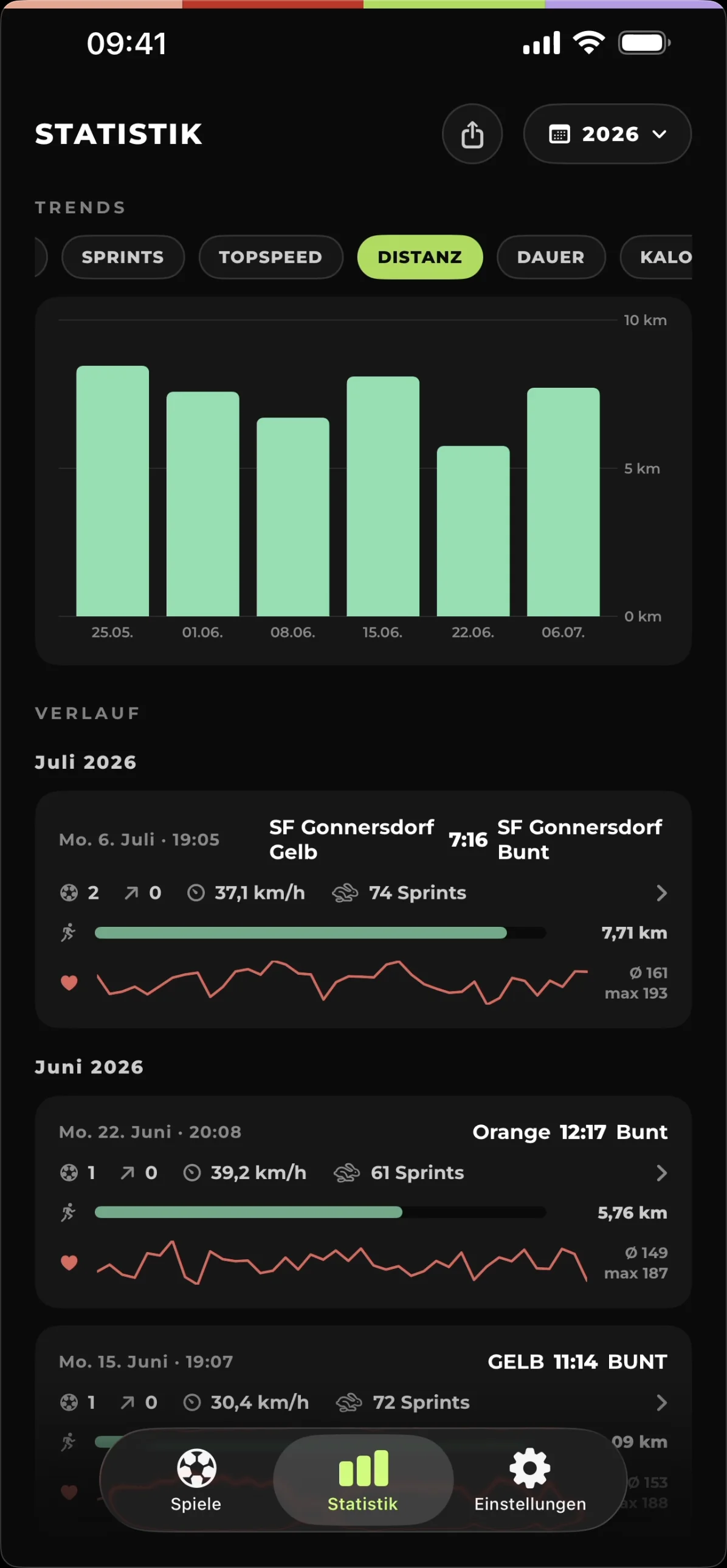
Every captured match feeds your stats: goals and assists, top scorers, records and trends across the season. Your watch adds distance, top speed, sprints and heart rate. Widgets bring the numbers to your home screen — and the shareable season card goes straight into the squad chat.

Top scorers, records & trends per season
Fitness stats from the watch workout
Widgets for home screen & lock screen
Records and top scorers
Trends across the season
FREQUENTLY ASKED

Quick answers.

Do I need an Apple Watch?
No. The watch is the most convenient way to tag goals mid-match — but the iPhone app does exactly the same. Someone on the sideline taps the goals on the phone while another device films.
Which devices are supported?
An iPhone running iOS 17 or later. The optional watch app runs on watchOS 10 or later.
Where do my videos and data live?
On your iPhone — nowhere else. MatchReel needs no account, your match videos stay in your photo library, and the app stores no copies on anyone's servers.
Does the whole match have to be filmed?
No. MatchReel automatically detects which part of the match your recording covers and maps the goals accordingly — even if the camera started late or stopped early.
Can I film with multiple cameras?
Yes. Just import several recordings for the same match — each one syncs automatically, and in the editor you pick the best angle per scene.
What does MatchReel cost?
MatchReel is launching on the App Store soon. Pricing details will be announced at launch — join the waitlist to be the first to know.

Ready for your first matchday?

MatchReel is about to launch. Sign up and be there from kick-off.

Join the waitlist